
Changelog

Follow new updates and improvements to Zensimu.

Beer Game - Week Advancement Modes

So far in the Beer Game, a new "week" (decision cycle) started as soon as all connected players had validated their order.

But you may want more control over this behavior, so we included two new Cycle Advancement Modes, that you can optionally activate in the General parameters of a game:
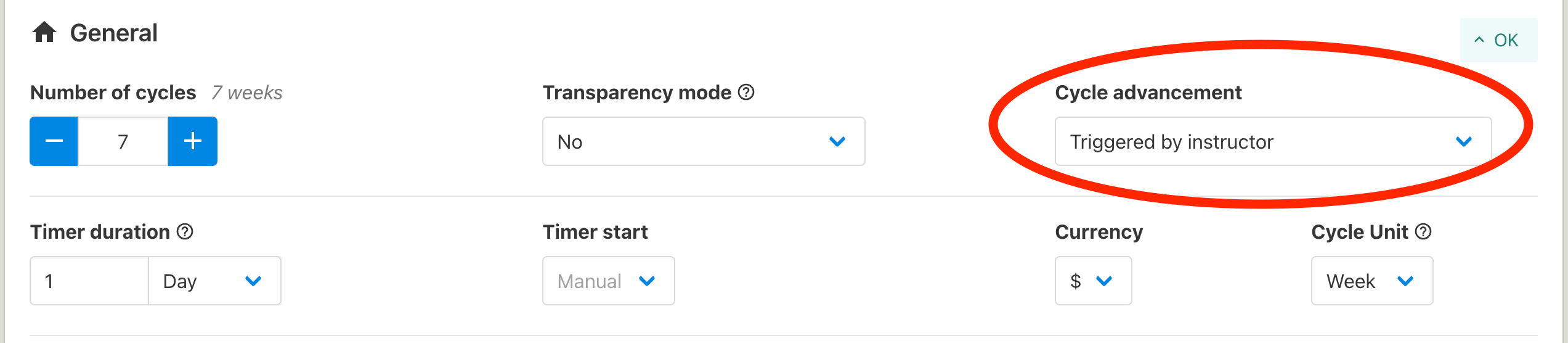
image

Read below the new possibilities:

1) Triggered by the instructor:In this case, even if all players have validated their order, the game will wait for the instructor to click on the button "new week" to advance to the next decision cycle.This button is available from the Session Follow-Up page:
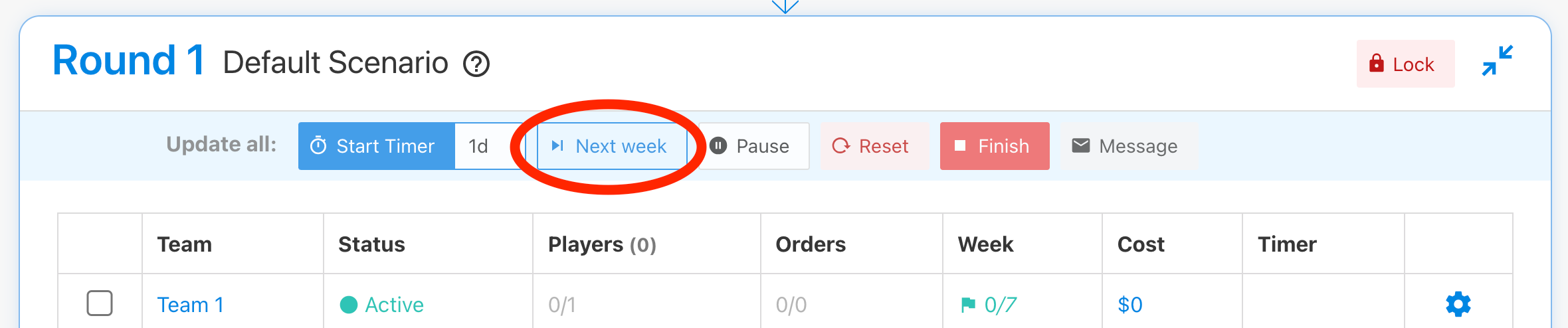
image

If you are using the "timer", the games will also move to the next week automatically at the end of the timer, allowing a synchronization between the teams.

2) Wait for all teams to be on the same cycleIn this case, the players will need to wait for the other teams in the session to be on the same "week" before they can enter their new order.
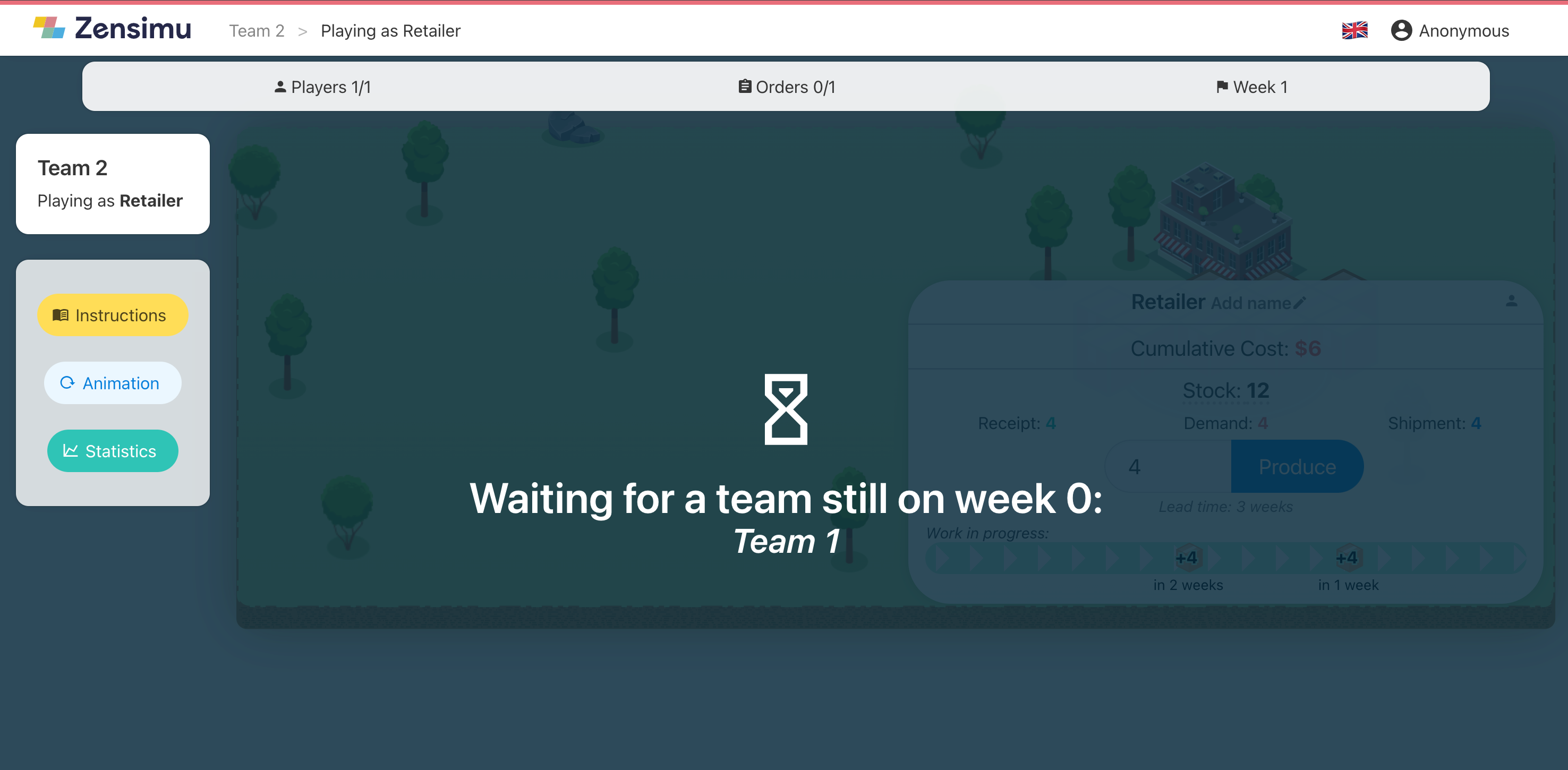
image

This mode can be used if you have a big audience, and you want players to avoid waiting too long for all the teams to finish, before the general debriefing can be made.
Beer GameNew

Beer Game - ⏱️ Change the timer duration on-the-go

When hosting a Beer Game with many participants, some teams may be advancing slower than others. An efficient way to keep a minimal duration for all is to use the Timer function.

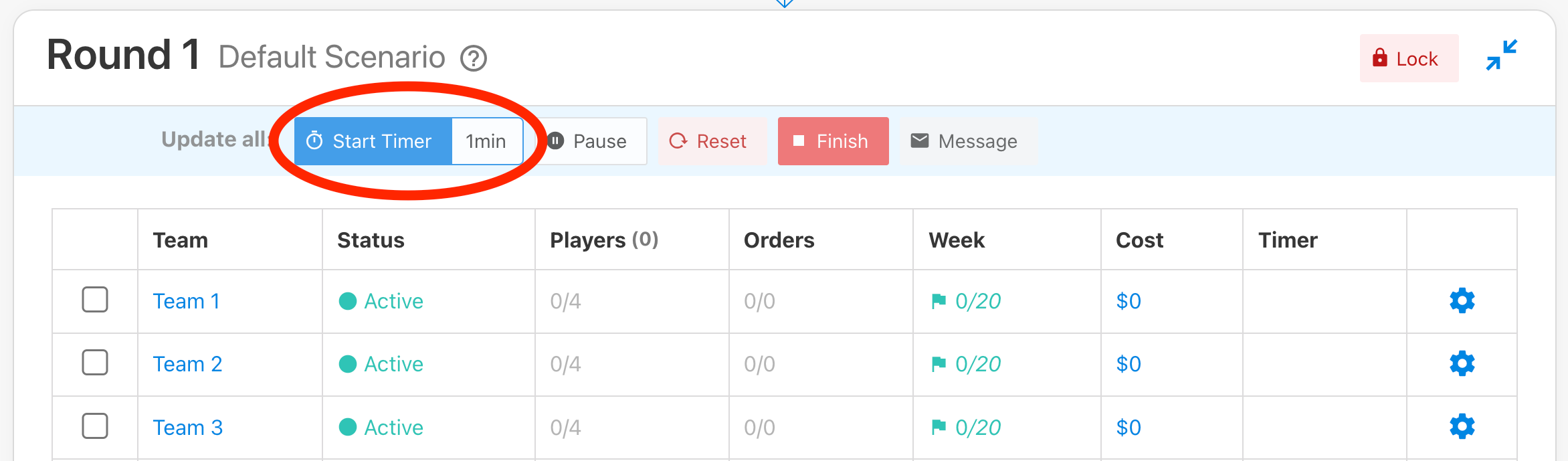
You can now more easily switch the timer duration while hosting games, with a convenient menu accessible from within the session follow-up page:

image

This allows you to easily adjust the duration for specific teams (ex: shorter timer for late teams), or based on your session schedule advancement.

From this menu, you can choose between the following values: 10s, 20s, 30s, 45s, 1min, 1min30, 2min and 3min. For more-specific durations, you can always define the timer in seconds from within the session settings.

Beer GameNew

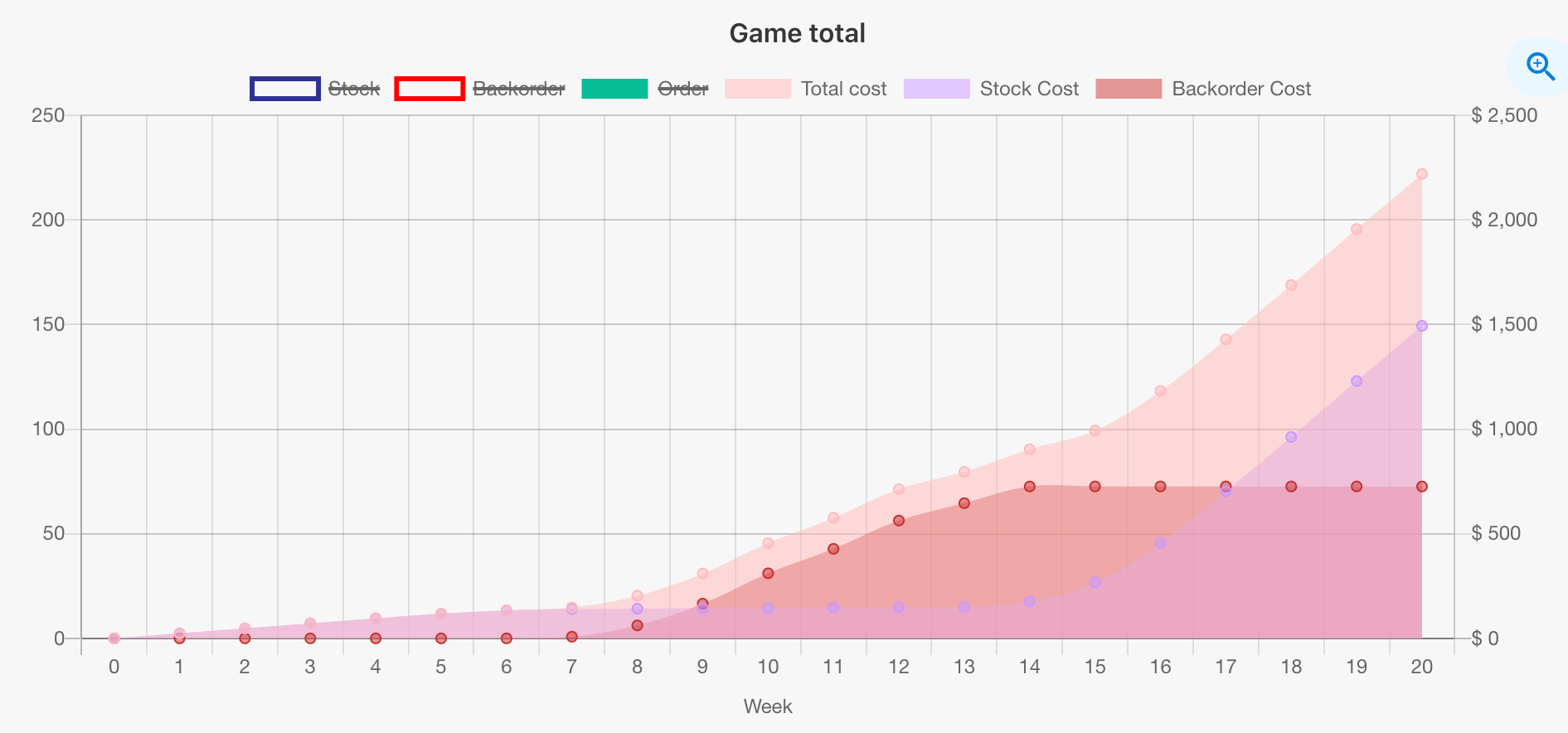
Advanced Beer Game - Stock Costs vs. Backorder Costs

When playing games using the advanced model, the statistics available at the end now allow displaying the various sources of costs.

For example in the default Beer Game scenario, supply chains often have a lot of backorders mid-game, and overstocks at the end. In the chart below, you can display how this impacted backorder/stock costs throughout the game:

image

These extended statistics are only available when using templates on the advanced Beer Game model, so don't hesitate to check it out by joining the beta.Read more here: https://docs.zensimu.com/article/47-introduction-to-the-advanced-beer-game-model

Beer GameNew

Earlier updates