Move Players Between Teams and Roles
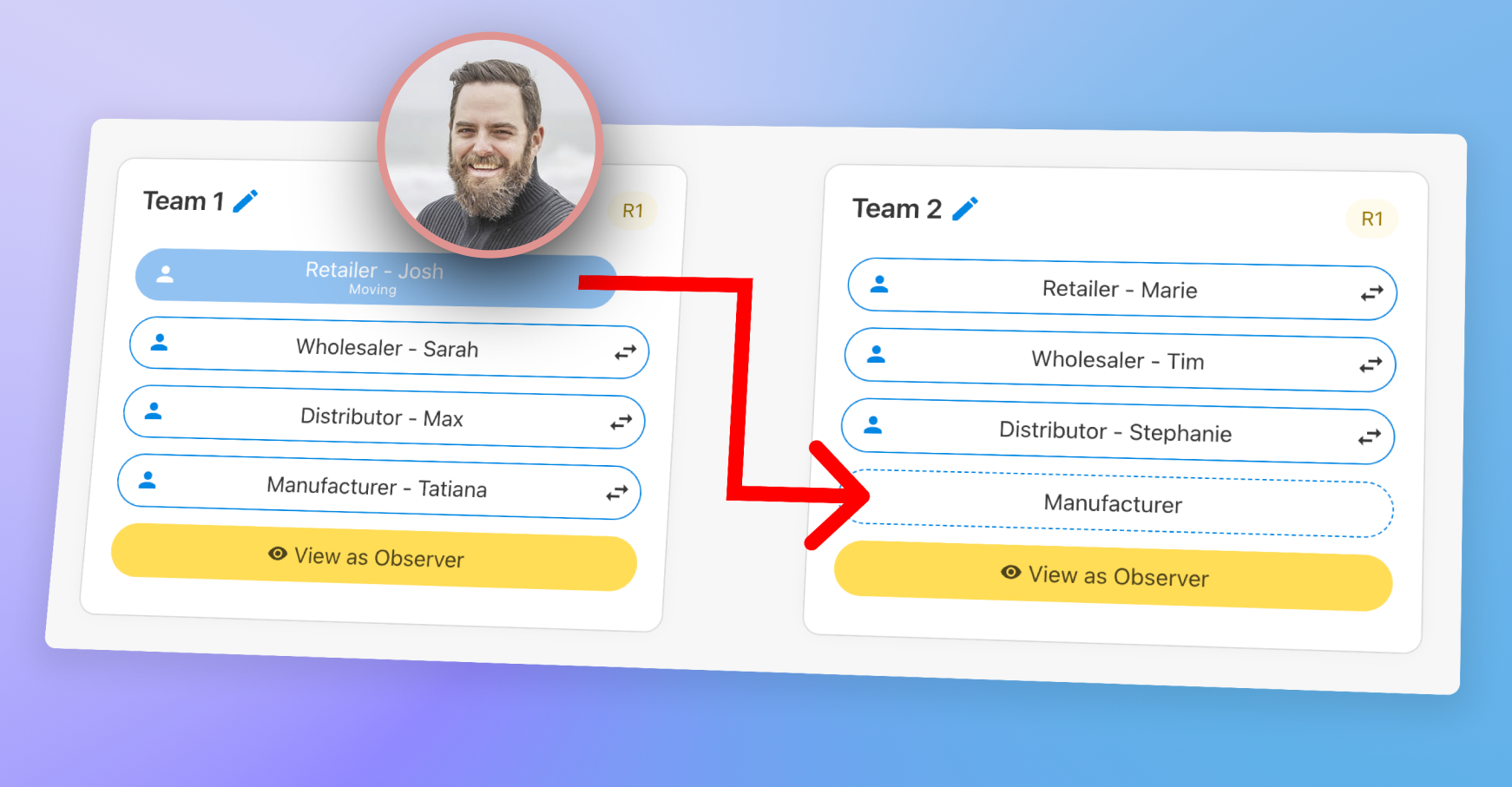
A participant joins the wrong team. Or two people don't show up, and their team is left with empty positions.
Until now, the only way to re-organize teams was to disconnect the player and ask them to join again on the right position. You can now move them yourself, in two clicks.
Reassign from the Lobby
In the Lobby, each connected player now has a Reassign icon, next to the rename and disconnect ones.
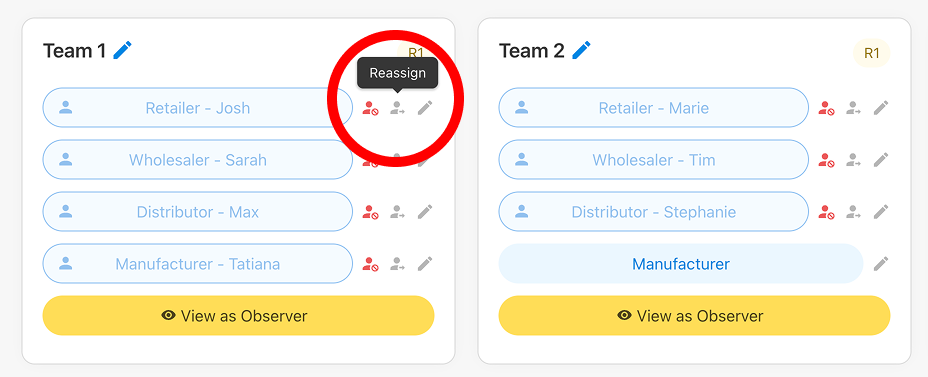
Click it, and every available position lights up across all team cards. Click the one you want and the player is moved there straight away.
Positions already taken by another player can be selected too. In that case, the two players simply swap places.
The new Players menu
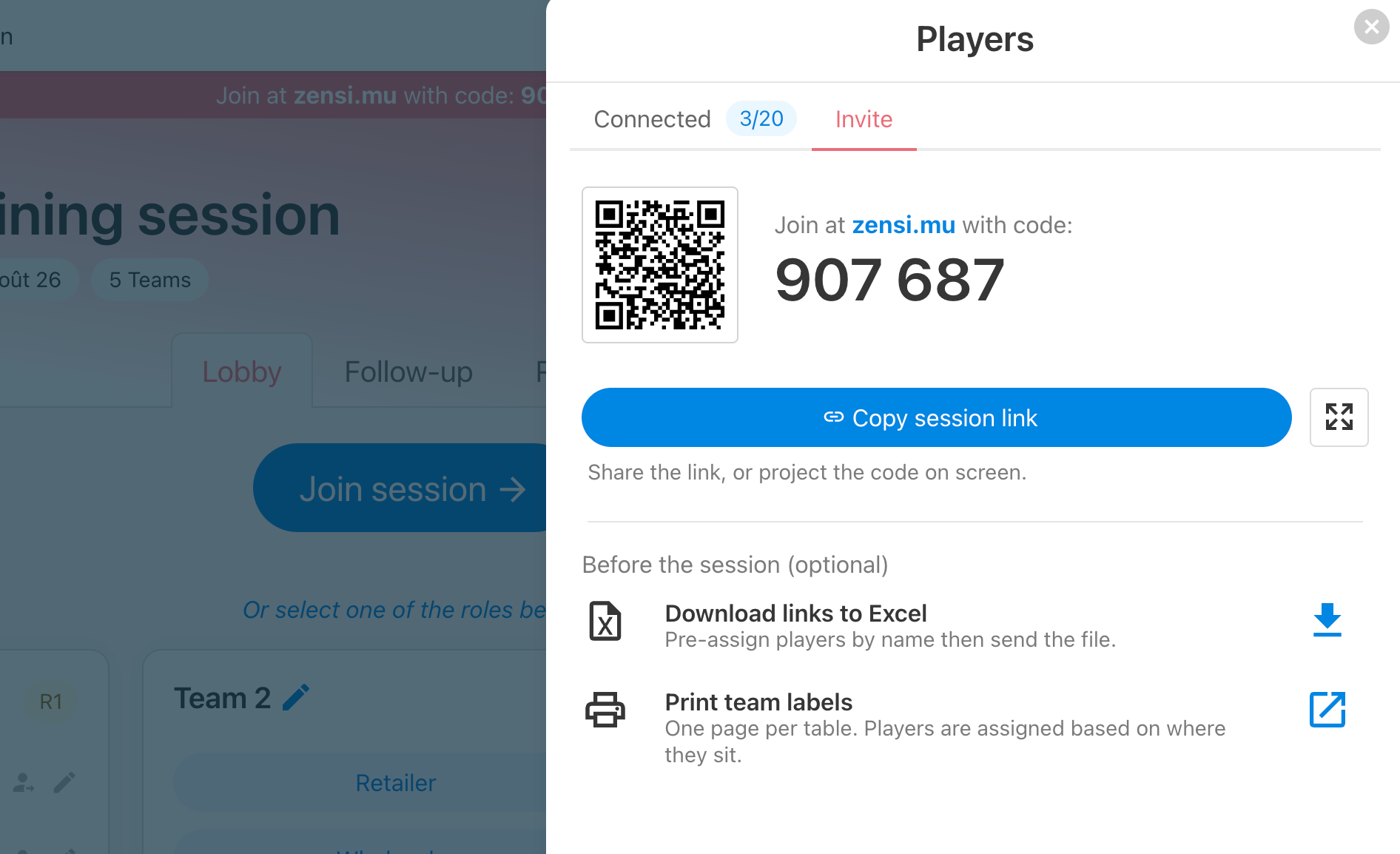
The Players button in the session header opens a new side panel allowing you to manage the currently connected players and invite new ones.
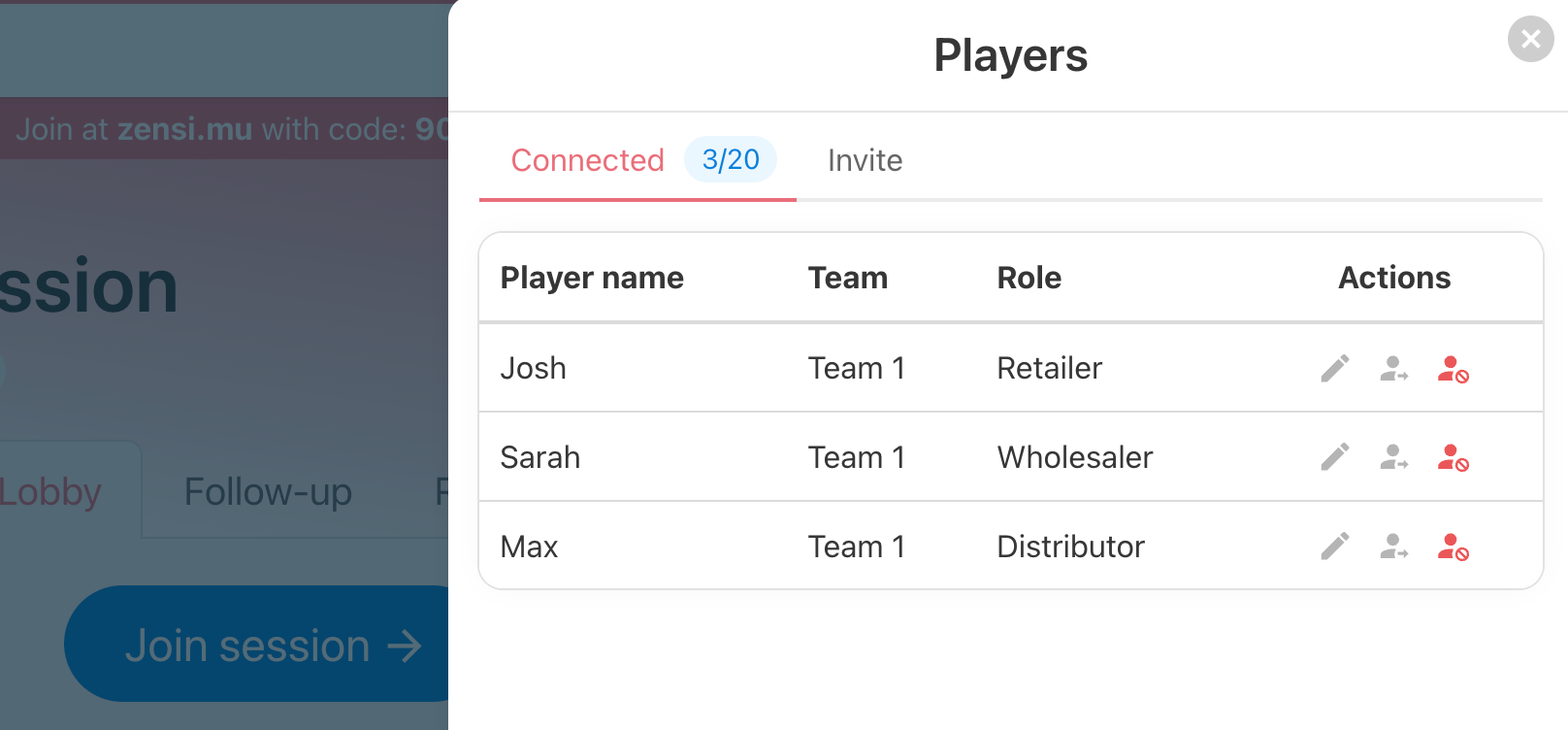
Connected lists everyone currently in the session. From there you can rename, reassign or disconnect any of them. This is the quickest way to find someone when your session has many teams and scrolling through the cards takes too long.
Invite brings together everything you need to get people in: the session link, the session code and its QR code, the Excel extract of team and role links, and the printable team labels.